How I built my family genealogy tree visualization online
June 12, 2026
The Ekengren family tree was built from a RootsMagic genealogy database compiled by my dad, Neal Ekengren. The whole project — data extraction, visualization, and deployment — was done in VS Code using Claude Code as the primary coding assistant.
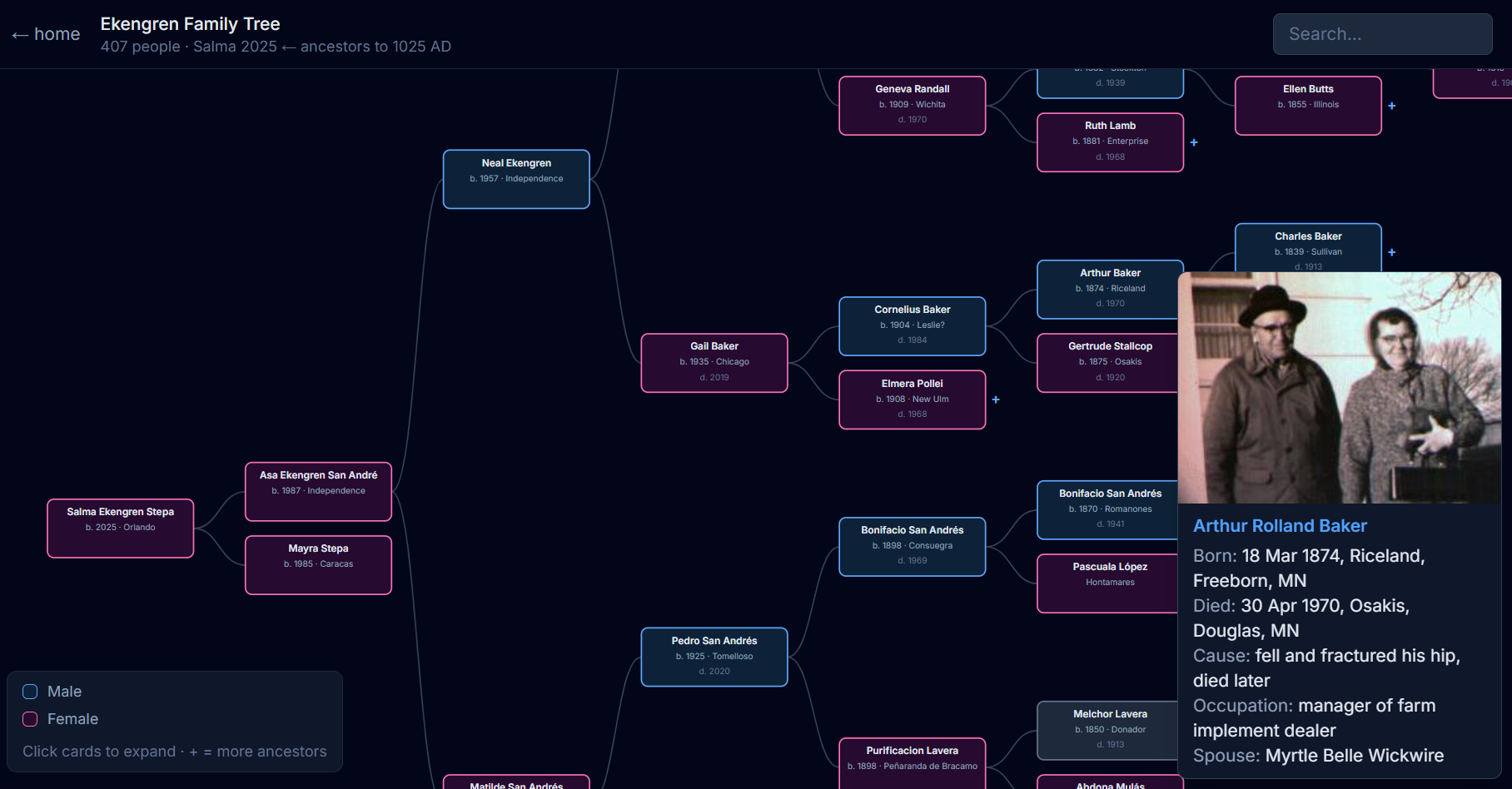
How it was built
The database is a SQLite file — a self-contained database format common in desktop apps — with a few unusual quirks: a proprietary date format, reversed sex encoding, and photo filenames stored in a character encoding that needed to be converted before they could be read correctly.
One detail worth calling out: the database includes dozens of people who share the same first and last name across generations — two Pedro Ekengrens, two Alvin Ekengrens. Matching each person to the right photo required using the database's own internal photo index, which links photos to specific people by ID rather than by name. Without that, you'd end up with the wrong Pedro's face on the wrong card.
I described all of these constraints to Claude Code and asked it to write a Python script to extract the data and export it as JSON. From there, we iterated on a D3.js visualization inside a Next.js component — I'd describe what I wanted, Claude Code would write or revise the code, and I could see the result immediately in the browser.
The interaction felt less like programming and more like directing: "make the tree flow right-to-left with Salma at the root," "add birth city to each card," "pull cause of death and occupation from the event table." Claude Code handled the implementation; I handled the intent.
The tech stack
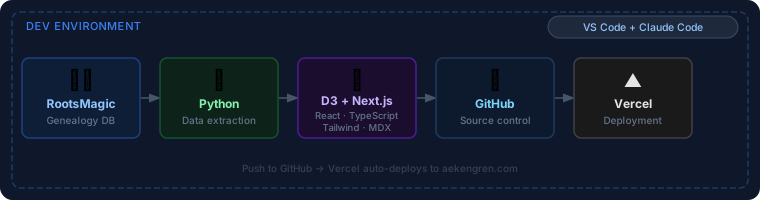
RootsMagic → Python → React / Next.js → GitHub → Vercel
- RootsMagic — where Neal's genealogy database lives, maintained over decades
- Python — extracts and transforms the raw database into JSON the browser can read
- D3.js — renders the interactive, zoomable family tree in the browser
- React + Next.js — the web framework the whole site is built on
- TypeScript — typed JavaScript; catches mistakes before they reach the browser
- Tailwind CSS — utility-based styling with no separate stylesheet to maintain
- MDX — blog posts written in plain Markdown but able to embed interactive components like this one
- VS Code + Claude Code — the development environment; Claude Code wrote the majority of the code from natural language descriptions
- GitHub — source control
- Vercel — hosts the site and deploys automatically on every push to
main
Every change went through the same loop: describe it to Claude Code in VS Code → review the diff → push to GitHub → Vercel deploys in under a minute.
See the family tree → Read the family history →